
Teams that manage clients, tenants, or projects often face scattered communication, missed updates, and lost files across tools. Property managers struggle to keep tenant data and lease records in one place. Accountancy firms juggle sensitive documents through emails. Agencies and design teams waste time chasing approvals or feedback. These gaps slow down work and lead to confusion.
A web portal solves this by bringing communication, document sharing, and client interaction into one secure system. It gives users the right tools in one place, based on their role and needs.
This article is about what a web portal is, its types, examples, and key features that make it work.
What Is a Web Portal?
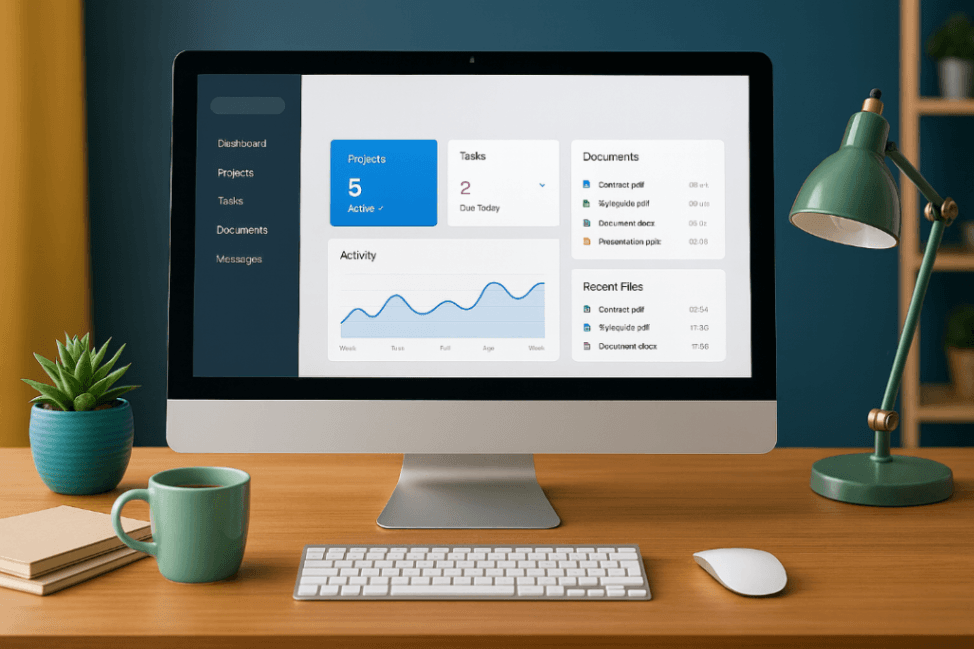
A web portal is a secure website that gives selected users access to specific tools, data, and services. It works like a central entry point where users can log in to view or manage content based on their role.
Web portals are often used by businesses to connect teams, customers, or clients through one system. Unlike regular websites, portals show different content to different users and usually require authentication.
Importance of Web Portal
-
Keeps everything in one place: A website portal stores files, updates, schedules, and communication inside one system, so teams and clients don’t need to switch between apps.
-
Improves how you work with clients or tenants: Whether you are sharing design plans, lease documents, or financial reports, the portal gives clients direct access without emails or calls.
-
Controls who sees what: Role-based access makes sure only the right people see the right content, which is important when working with sensitive data.
-
Reduces back-and-forth and delays: Real-time updates, announcements, and document sharing help avoid missed messages or waiting for replies.
-
Shows your brand clearly and professionally: A white-labeled portal looks like your own platform, giving a better and more trusted experience to your clients or tenants.
Types of Web Portals
1. Customer Portal
A customer portal is a private space where customers can log in to manage their services, ask for support, or view documents. Businesses use it to reduce support tickets and give customers self-service access. Features often include billing history, communication tools, and downloadable files.
2. Employee Portal
An employee portal is for internal staff. It provides access to HR documents, company updates, policies, and training materials. It helps teams stay informed and manage tasks like requesting time off or viewing payroll without contacting HR directly.
3. CRM Portal
A CRM portal connects external users to a company’s customer relationship management system. It is used by sales teams, partners, or clients to view leads, update records, or track communication. This portal improves visibility and reduces back-and-forth emails.
4. Client Portal
A client portal is used by service-based businesses to work with their clients. It gives clients a secure place to receive updates, upload files, view reports, or approve documents. This type of portal helps streamline communication and manage shared work without using email.
Unlike a customer portal, which supports general service access, a client portal is more collaborative and project-focused, often involving shared tasks and ongoing deliverables.
5. E-commerce Portal
An e-commerce portal allows customers or sellers to manage online orders, track shipments, and update product listings. Businesses use it to give users control over transactions and inventory without manual support. It is common in marketplaces and online retail.
6. Financial Portal
A financial portal is used to provide users with access to financial documents, performance data, reports, or statements. These are often used by banks, investment firms, or accounting companies to give their clients easy access to real-time financial information.
Web Portal Examples Based on Industry Use
Web portals are used in different industries to serve specific users with defined tasks. Each example below shows how a particular type of portal, such as a client portal or customer portal, works in real business settings.
1. Client Portal for Accountancy Firms
Accountancy firms use a client portal to share tax documents, audit files, and financial reports. Clients log in to upload files, ask questions, or check progress.
The portal uses role-based access so that only the right people see the right files. This helps firms stay organized and respond faster without using email.
2. Customer Portal for Real Estate Agencies
Real estate agencies use a customer portal to give buyers and sellers access to property files, inspection notes, and contracts.
Clients can log in to check updates, send paperwork, or follow deal progress. The portal helps agencies manage communication and keep documents in one place.
3. Client Portal for Property Managers
Property managers use a client portal to share lease agreements, payment records, and repair updates with tenants and owners.
Owners can view reports or approve costs. Tenants can ask for repairs or check announcements. The portal keeps all property data secure and easy to access.
4. Client Portal for SMEs and Agencies
SMEs and agencies use a client portal to send project files, gather feedback, and track approvals. Clients log in to see drafts, upload notes, or sign off on work.
This replaces email threads and keeps the project flow clear. The portal also keeps a record of all shared files and messages.
5. Client Portal for Interior Design Firms
Interior design firms use a client portal to upload floor plans, design concepts, and timelines. Clients log in to review progress, approve changes, or upload references.
This keeps the team and client updated without needing meetings or emails. All project details stay in one system for easy follow-up.
Web Portal vs. Website: Understanding the Difference
A web portal and a website are not the same. A website is open to the public and shows the same content to all visitors. A web portal is private and shows different content to each user after login.
Below are key differences:
-
A website is public and does not require a login. A web portal is private and needs user authentication.
-
Websites show the same content to everyone. Web portals show different content based on the user’s role.
-
Websites are used for marketing or sharing information. Web portals are used for work, file sharing, and communication.
-
Websites are built for visitors. Web portals are built for registered users like customers, employees, or clients.
-
A website is usually one-way communication. A web portal supports two-way interaction, like messages, file uploads, and task updates.

Features That Make a Web Portal Work: What Osuria Offers
1. Secure File Sharing in a Web Portal
A web portal must include secure file sharing to keep sensitive data protected and easy to manage. This feature allows users to upload, view, and store important documents without using email or outside storage tools.
Osuria offers secure cloud-based file storage with role-based access. Only approved users can access or edit files, and version tracking makes sure the latest document is always available. This is essential for firms managing leases, reports, tax files, or design materials.
If your business handles private files for clients or tenants, Osuria gives you a secure and organized way to manage them in one place.
2. Real-Time Communication Tools in a Web Portal
A web portal should support real-time communication so users can receive updates, respond quickly, and avoid delays. Without this feature, information often gets lost in long email threads or outside apps.
Osuria includes announcements, group messages, and audience-based discussions. Users can send updates to tenants, owners, or internal teams, all within one system. This keeps communication focused and improves daily coordination.
If you need a web portal that replaces scattered messages and keeps everyone aligned, Osuria brings all communication into one organized space.
3. White-Label Customization in a Web Portal
White-label customization is important in a web portal to give users a professional, branded experience. It allows businesses to control the look and feel of the portal with their own name, logo, and style.
Osuria offers full white-label features including custom domains, logos, and branded email notifications. This helps property firms, agencies, and design teams maintain brand identity in every client interaction.
If your business wants to present a branded and trusted interface to clients, Osuria makes the web portal look like your own product.
4. Mobile Accessibility in a Web Portal
A web portal must be mobile-friendly so users can access updates, documents, and tools without a desktop. This is critical for businesses that need to respond to issues or tasks while away from the office.
Osuria provides mobile apps for both iOS and Android, with real-time push notifications. Users can read announcements, access files, and communicate on the go. This supports fast decision-making and ongoing visibility.
If your work happens across locations or involves field teams, Osuria’s mobile web portal helps you stay connected anywhere.
5. Event Scheduling in a Web Portal
Event scheduling is a key feature in a web portal because it helps users plan inspections, meetings, and reminders without confusion. It keeps all teams and clients aware of what is happening and when.
Osuria lets users create events, notify the right people, and connect them to related updates or files. This makes it easier to manage timelines across tenants, clients, or projects.
If you want a web portal that keeps your schedule clear and your team informed, Osuria gives you that structure in one place.
Conclusion
A web portal is more than just a login page. It is a working system that helps businesses manage data, users, and communication in one place. From sharing files to scheduling tasks, each feature supports a clear purpose.
For industries that work with clients, tenants, or team members daily, a web portal improves control, speed, and clarity. Choosing the right portal setup depends on what your users need and how your workflows are structured to support them.
Osuria is built as a web portal designed for property managers, accountancy firms, agencies, and client-facing teams. It brings secure file sharing, real-time communication, mobile access, and white-label control into one organized space, helping teams simplify their daily work without switching tools.
Create your free account and start managing your client communication and files in one place.
FAQ
1. What is a web portal?
A web portal is a secure online platform where users log in to access tools, files, and updates based on their role. It helps teams manage communication and data in one place.
2. How does a web portal differ from a website?
A website is public and shows the same content to everyone. A web portal is private and shows different content to each user after login.
3. What are the key features of a web portal?
Key features include secure file sharing, real-time messaging, user access control, mobile access, and event scheduling. These help manage tasks and users efficiently.
4. What are examples of web portals?
Examples include customer portals, employee portals, CRM portals, and client portals used in industries like property management and accounting.
5. Why is a web portal important for businesses?
It keeps all files, updates, and communication in one system. This improves speed, clarity, and client service.